Advantages and Disadvantages of Bus Topology
Published: 16 Nov 2025
Curious about how computer networks work? Or why do some computer networks use a bus-like structure? Well, many computer networks work with the bus topology network. And in this article, we will talk about the advantages and disadvantages of bus topology.
We’ll explore all the perks and downsides of bus topology, making it easy for both beginners and tech enthusiasts to grasp.
Stick around me as I uncover the ins and outs of bus topology in computer networks in detail.
Advantages of Bus Topology
In this section we will explain benefits of Bus Topology.
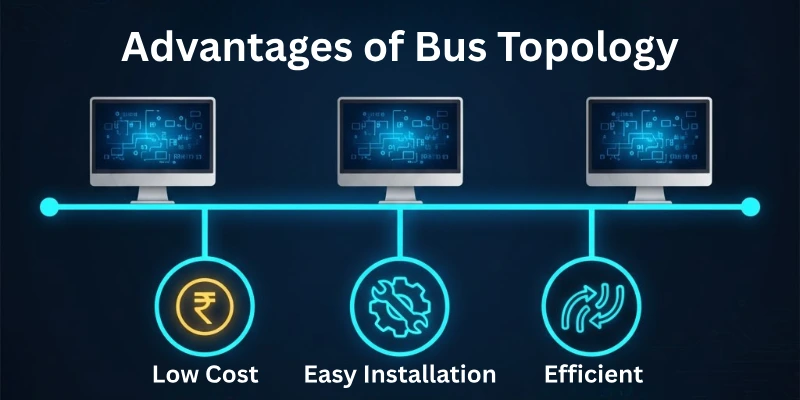
Here is the list of all the pros of bus network topology:
- Simplicity
- Efficient Data Transmission
- Cost-effectiveness
- Easy to Install and Set Up
- Requires Less Cable
- Well-suited for Small Networks
- Direct Communication with the Central Bus
- Minimal Hardware Requirements
- Easy to Expand
- Flexibility in Cable Types
- Suitable for Linear and Star Configurations
- Straightforward Troubleshooting
Let’s learn each merit.
Simplicity
- Involves a straightforward design with a single communication channel.
- Minimal complexity in terms of network structure and configuration.
- Easy to understand and implement, making it accessible for users with basic networking knowledge.
Efficient Data Transmission
- Streamlined communication as data travels directly along the central bus.
- Low latency due to the simplicity of the network architecture.
- Minimizes data collisions, leading to improved efficiency.
Cost-effectiveness
- Requires less cabling compared to other topologies, reducing material costs.
- Simple hardware components contribute to overall cost savings.
- Suitable for budget-conscious implementations without compromising essential networking functionality.
Easy to Install and Set Up
- Rapid deployment due to the uncomplicated nature of the topology.
- Minimal configuration requirements, making it accessible for users with limited technical expertise.
- Streamlined installation process, reducing downtime during network setup.
Requires Less Cable
- Utilizes a single central bus for communication, minimizing the amount of cable needed.
- Reduces the complexity of cable management and maintenance.
- Lower cable requirements contribute to cost savings and a cleaner network layout.
Well-suited for Small Networks
- Efficient for small-scale deployments with a limited number of devices.
- Provides a cost-effective solution for connecting devices in close proximity.
- Simplifies network administration in scenarios where a small-scale setup is sufficient.
Direct Communication with the Central Bus
- Devices can communicate directly over the central bus, promoting efficient data exchange.
- Enables straightforward communication without the need for complex routing protocols.
- Direct access to the central bus enhances the simplicity and speed of data transmission.
Minimal Hardware Requirements
- Basic hardware components are sufficient for implementing bus topology.
- Reduces the need for specialized networking equipment.
- Lowers hardware costs and maintenance requirements.
Easy to Expand
- Simplifies the addition of new devices to the network.
- Scalable without significant changes to the existing infrastructure.
- Facilitates the growth of the network in a flexible and uncomplicated manner.
Flexibility in Cable Types
- Permits the use of various types of cables for the central bus.
- Accommodates different cable lengths and materials, offering flexibility in implementation.
- Allows organizations to choose cable options based on specific needs and budget constraints.
Suitable for Linear and Star Configurations
- Adaptable to both linear and star topologies, providing versatility.
- Allows users to choose the configuration that best fits their specific needs.
- Offers flexibility in designing networks based on varying spatial requirements.
Straightforward Troubleshooting
- Simplifies the identification and resolution of network issues.
- Easy to isolate faults and disruptions due to the linear structure of the topology.
- Streamlines the troubleshooting process, minimizing downtime and ensuring quick problem resolution.
Disadvantages of Bus Topology
Now we discuss about disadvantages of Bus Topology.
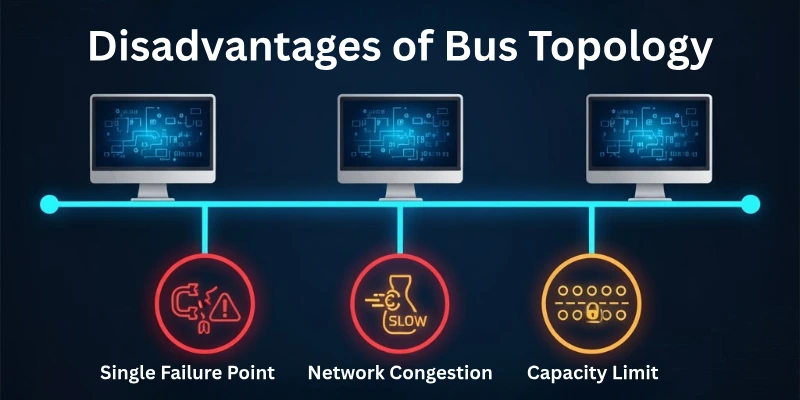
Here is the list of all bus topology cons:
- Limited Scalability
- Single Point of Failure
- Reduced Security
- Limited Cable Length
- Performance Degradation with Heavy Traffic
- Difficulty in Identifying Faults
- Unsuitable for Multimedia or High-Bandwidth Applications
- Limited Network Isolation
- Challenges in Reconfiguring the Network
- Lower Transmission Speeds in Comparison to Some Topologies
Let us learn each limitation of bus topology.
Limited Scalability
- Expansion becomes challenging as the network grows, affecting performance.
- Increased traffic and potential collisions arise with additional connected devices.
- Not ideal for large-scale networks or those with dynamic expansion needs.
Single Point of Failure
- The central bus acts as a single point of failure for the entire network.
- If the central cable encounters issues, the entire network may be disrupted.
- Redundancy measures are crucial to mitigate the risk of a complete network failure.
Reduced Security
- Limited privacy as all data transmitted is accessible to all devices on the network.
- Security concerns arise as there is no inherent data protection or encryption.
- Vulnerable to unauthorized access and eavesdropping.
Limited Cable Length
- Cable length restrictions may impose limitations on the physical layout of the network.
- Longer cables can lead to signal degradation and reduced transmission speeds.
- Requires careful planning to avoid performance issues due to cable length constraints.
Performance Degradation with Heavy Traffic
- Network performance can degrade significantly during periods of high traffic.
- Increased collisions and contention for the communication channel impact efficiency.
- Not suitable for applications requiring consistently high data transfer rates.
Difficulty in Identifying Faults
- Locating faults within the central bus can be challenging.
- Complexities arise when pinpointing specific issues in a continuous communication channel.
- Time-consuming troubleshooting processes may be required for fault resolution.
Unsuitable for Multimedia or High-Bandwidth Applications
- Inefficient for multimedia streaming or applications requiring high bandwidth.
- Limited data transfer capabilities may result in lower quality for multimedia content.
- Not recommended for environments with demanding bandwidth requirements.
Limited Network Isolation
- Lack of network segmentation reduces the ability to isolate specific sections.
- An issue with one device or segment may affect the entire network.
- Inability to contain problems within a defined area hampers fault isolation.
Challenges in Reconfiguring the Network
- Modifying or reconfiguring the network can be complex and disruptive.
- Introducing new devices may necessitate adjustments to the existing cabling structure.
- Time-consuming and may require downtime during the reconfiguration process.
Lower Transmission Speeds in Comparison to Some Topologies
- Transmission speeds may be slower compared to more advanced topologies.
- Limited by the shared nature of the communication channel.
- Not suitable for applications requiring extremely high data transfer rates.
Conclusion
In summary, the advantages of bus topology, including simplicity and cost-effectiveness, make it a viable choice for smaller networks. However, the single point of failure, security risks, and limitations in scalability highlight bus network disadvantages.
Ultimately, the decision to adopt bus topology should be weighed against specific network requirements and potential trade-offs. I hope you guys like reading the article on the pros and cons of bus topology.
FAQs
Here are some of the most commonly asked questions related to the advantages and disadvantages of bus topology:
Bus network topology refers to a network configuration where all devices share a single communication channel, known as the bus or backbone. Devices connect directly to this central channel, allowing for the transmission of data between connected devices.
In a bus network layout, devices are connected linearly to a central bus or communication channel. The central bus serves as the main pathway for data transmission, and devices can communicate directly with each other by sending signals along this shared medium.
A logical bus topology refers to the conceptual layout of a network where data is transmitted as if the network follows a bus topology, even if the physical layout may differ. This abstraction simplifies network representation and troubleshooting while maintaining the characteristics of a bus topology.
An example of bus network topology is a scenario where several computers in an office are connected to a single Ethernet cable, forming a bus-like structure. Each computer on the network can communicate by sending and receiving data through this central cable.
The two main types of bus topology are:
- Physical Bus Topology
- Logical Bus Topology






- Be Respectful
- Stay Relevant
- Stay Positive
- True Feedback
- Encourage Discussion
- Avoid Spamming
- No Fake News
- Don't Copy-Paste
- No Personal Attacks
- Be Respectful
- Stay Relevant
- Stay Positive
- True Feedback
- Encourage Discussion
- Avoid Spamming
- No Fake News
- Don't Copy-Paste
- No Personal Attacks
