Pros and Cons of Google Forms: Free but Limited
Published: 7 Jan 2026
Did you know that you don’t need expensive tools or knowledge of complex code to make online forms? Anyone can make polls, quizzes, and other forms for collecting information with Google Forms, which is free and easy to use. But it has pros and cons, just like any other tool.
And, this article will explore the advantages and disadvantages of Google Forms, helping you decide if it’s the right choice for your needs.
Advantages of Google Forms
Now that we’ve explored what Google Forms is, let’s dive into its strengths. Google Forms offers a multitude of advantages, making it a valuable tool for various purposes.
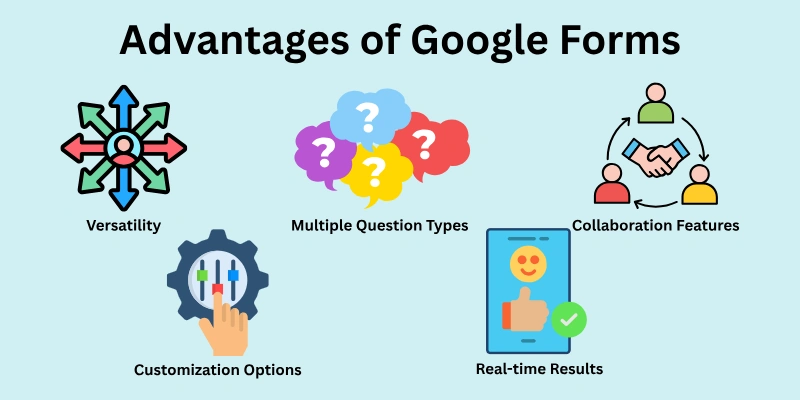
Here’s a closer look at some of the key benefits it brings to the table:
- Easy to Use Interface
- Free to Use
- Versatility
- Multiple Question Types
- Collaboration Features
- Integrates with Other Google Services
- Customization Options
- Data Collection & Analysis
- Real-time Results
- Mobile Friendly
Let’s cover all the pros of google forms in detail.
1. Easy to Use Interface
One of the best things about Google Forms is how easy it is to use. Its features are easy to use, even for people who have never made a form before. It’s easy to make forms with drag-and-drop, and it’s also simple to pick the right question types and make changes to them thanks to clear labels and choices.
2. Free to Use
Google Forms is a free tool that anyone with a Google account can use. That means you don’t have to pay for expensive software licences or fees. This makes it a cheap option for people, businesses, and schools. As Google Forms is free to use, anyone can make and share forms for a variety of reasons.
3. Versatility
Google Forms goes beyond simple surveys. It allows you to create a wide variety of forms, including quizzes, polls, feedback forms, registration forms, and more. This versatility makes it a one-stop shop for gathering information in different formats. Whether you’re collecting customer feedback or registering participants for an event, Google Forms can be adapted to your specific needs.
4. Multiple Question Types
Google Forms offers a rich selection of question types, so you can make your form fit your needs and get the most useful information. You can pick the best method to get the data you need, such as multiple choice, checkboxes, open-ended questions, or even file uploads.
5. Collaboration Features
Google Forms lets people work together on creating and updating forms in real time. Many people can work on the same form at the same time, which speeds up the process and encourages teamwork. This collaborative feature is especially beneficial for teams or groups working on a joint project or survey.
6. Integrates with Other Google Services
Google Forms works with all other Google services because it is part of the Google Docs suite. It’s easy to connect your form to Google Sheets, which will store the data you collect in a spreadsheet for later analysis and visualization. You can also send forms to other people through Gmail or embed them straight into Google Sites websites.
7. Customization Options
It’s not enough that Google Forms works; you can also customise them in a lot of interesting ways. You can change the form’s style, add pictures, or even add your own logo to make it look and feel unique. Being able to change how your forms look makes them look better and more in line with your brand.
8. Data Collection & Analysis
One great thing about Google Forms is that it makes it easy to collect and look at data. As people send in their answers, they are quickly put together in a way that is clear and easy to understand. You can look at answer summaries and find trends in the collected data with Google Forms’ basic data analysis tools. This gets rid of the need to enter data by hand and gives useful information right from the form.
9. Real-time Results
Say goodbye to waiting for results! Google Forms displays responses as they are submitted. You can monitor the progress of your form and view the latest data in real-time. This instant feedback allows you to adjust your approach or make informed decisions based on the incoming information.
10. Mobile Friendly
Accessibility is very important in today’s world, which is based on mobile devices. People can use smartphones and tablets to make, edit, and fill out Google Forms because it is optimised for mobile devices. That way, more people can use your forms, no matter what gadget they’re using.
Disadvantages of Google Forms
While Google Forms offers a wealth of benefits, it’s important to consider its limitations as well.

Here’s a list of some key disadvantages to keep in mind:
- Limited Design Customization
- Restricted Integrations
- Basic Reporting and Analytics
- Limited File Upload Size
- Requires Internet Access
Let us cover all the cons of google forms in detail.
1. Limited Design Customization
While Google Forms allows for some customization of appearance, the options are somewhat limited. You can choose from pre-defined themes and add basic elements like images and logos, but extensive design control is not available. This might be a drawback if you require highly customized forms with a specific brand identity or a more visually engaging user experience.
2. Restricted Integrations
Although Google Forms integrates well with other Google services, its connection to third-party applications is limited. If you need your form to interact with specific software or platforms you use, such as payment gateways, Google Forms might not be the most suitable option.
3. Basic Reporting and Analytics
Google Forms has basic data analysis capabilities for summarising replies and identifying trends. However, it lacks advanced reporting capabilities. If you require detailed data analysis or complicated visualizations, you may need to export your data to a more powerful analytics platform for additional investigation.
4. Limited File Upload Size
Users can only upload files up to a certain size through Google Forms. This can be a drawback if you need to collect enormous items such as films, high-resolution photos, or detailed documents.
5. Requires Internet Access
Since Google Forms is a web-based tool, both form creation and completion require an internet connection. This can be a disadvantage if you need to collect information in situations where internet access is unavailable.
Conclusion
In this article, we have covered all the advantages and disadvantages of Google Forms in detail. We have seen how easy it is to collect data for our survey via Google Forms and how it can sometimes cause us drawbacks to its reliability on the internet.
So, guys, if you are going to conduct any survey soon, look at all the above-mentioned pros and cons of the Google Forms app and then make any decision.
FAQs
Here are some of the most commonly asked questions related to the benefits and limitations of using google forms:
Advantages of Google Forms in teaching are:
- Create quizzes and assignments easily.
- Collect student feedback and surveys.
- Manage online classroom registration and participation.
- Facilitate collaborative projects and activities.
Benefits of using Google Forms to collect data are:
- Efficient and organized data collection.
- Easy to share and distribute forms.
- Real-time data access and analysis.
- Saves time and resources compared to paper forms.
Good uses of Google Forms are:
- Surveys and feedback forms.
- Quizzes and assessments.
- Event registration and RSVPs.
- Job applications and lead generation.
- Data collection for research projects.
Purpose of Google Forms for students is:
- Complete online quizzes and assignments.
- Provide feedback to teachers through surveys.
- Participate in online class discussions and activities.
- Creates a paperless and interactive learning environment.
- Simplifies assessment and feedback processes.
- Promotes collaboration and communication among students.
The main function of Google Form is to create online forms to collect information and data.






- Be Respectful
- Stay Relevant
- Stay Positive
- True Feedback
- Encourage Discussion
- Avoid Spamming
- No Fake News
- Don't Copy-Paste
- No Personal Attacks
- Be Respectful
- Stay Relevant
- Stay Positive
- True Feedback
- Encourage Discussion
- Avoid Spamming
- No Fake News
- Don't Copy-Paste
- No Personal Attacks
