Pros & Cons of Mouse: Choose the Best for Your Needs!
Published: 13 Nov 2025
When considering the advantages and disadvantages of mouse as a computer input device, it’s essential to weigh both sides carefully.
On one hand, a mouse offers precise control and ease of navigation, enhancing user experience and efficiency. However, it also has drawbacks, such as the potential for repetitive strain injuries and limitations in certain applications.
Understanding these pros and cons is crucial in determining the suitability of a mouse for your computing needs.
Advantages of Mouse
The computer mouse offers a multitude of advantages, providing users with enhanced functionality and ease of use. Its benefits extend across various tasks, from simple navigation to intricate design work.
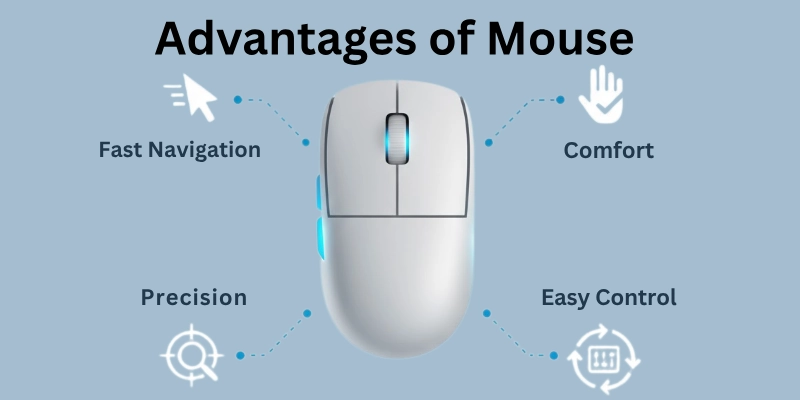
Below are some of the key advantages of using a computer mouse:
- Precise Cursor Control
- Easy Navigation
- Efficient Selection and Dragging
- Enhanced Productivity
- Comfortable Usage
- Versatile Functionality
- Seamless Integration with Software
- Facilitation of Graphic Design and Editing
- Support for Gaming
- Reduction of Hand Fatigue
Let’s cover each benefit of mouse in detail.
1. Precise Cursor Control
- The computer mouse helps you move a tiny arrow on the screen exactly where you want.
- It allows you to click on small things, like buttons or icons, without accidentally touching other stuff.
- You can make the arrow move fast or slow, depending on how you move the mouse.
2. Easy Navigation
- With a mouse, you can quickly move around different parts of your computer screen.
- It’s like having a magic pointer that lets you go to any place on your computer easily.
- You can scroll up and down pages or move side to side with just a simple flick of the mouse.
3. Efficient Selection and Dragging
- Using a mouse, you can click on things to choose them, making it easy to open programs or files.
- You can also drag things around the screen by clicking, holding, and moving them with the mouse.
- This makes it simple to organize your files or move objects in games or drawing programs.
4. Enhanced Productivity
- By making tasks like clicking and moving items faster and easier, the mouse helps you get more work done in less time.
- It allows you to switch between different programs or tabs with just a click, saving you from searching through menus.
- With the help of a mouse, you can complete school assignments or projects efficiently, leaving you with more time to play or relax.
5. Comfortable Usage
- Unlike using only keyboard shortcuts, which might strain your hands or fingers, the mouse offers a comfortable way to interact with the computer.
- Its design fits nicely in your hand, letting you use it for a long time without feeling tired.
- You can place the mouse wherever feels best for you, whether on a desk or a mouse pad, making it easy to use for everyone.
6. Versatile Functionality
- The mouse can do many things besides just clicking and moving. You can use it to zoom in on pictures, rotate objects, or even draw shapes.
- Some mice have extra buttons that you can customize to do different tasks, making them even more useful.
- It’s like having a Swiss Army knife for your computer, ready to help you with whatever you need to do.
7. Seamless Integration with Software
- Many computer programs are designed to work perfectly with a mouse, making it easy to use them.
- Whether you’re typing a document, editing a photo, or playing a game, the mouse makes it simple to control what you’re doing.
- You don’t have to learn complicated commands or shortcuts – just point and click to do what you want.
8. Facilitation of Graphic Design and Editing
- For tasks like drawing pictures or editing photos, the mouse offers precise control over your movements.
- It allows you to make small adjustments or add fine details with ease, helping you create beautiful artwork or polished documents.
- With a mouse, you can express your creativity freely, turning your ideas into reality on the computer screen.
9. Support for Gaming
- Many video games are designed to be played with a mouse, offering smooth and responsive control over your character or actions.
- The mouse lets you aim weapons, move your character, or interact with objects in the game world quickly and accurately.
- Whether you’re playing action-packed shooters or strategy games, the mouse enhances your gaming experience, making it more fun and immersive.
10. Reduction of Hand Fatigue
- Compared to using a keyboard alone, which can strain your hands or fingers over time, the mouse helps reduce fatigue by spreading out the workload.
- Its ergonomic design ensures that your hand stays comfortable, even during extended use.
- By providing a more natural way to interact with the computer, the mouse allows you to work or play for longer periods without feeling tired or sore.
Disadvantages of Mouse
While the computer mouse offers numerous advantages, it also comes with its own set of disadvantages that users should be aware of. Understanding these drawbacks can help individuals make informed decisions about their computing needs.
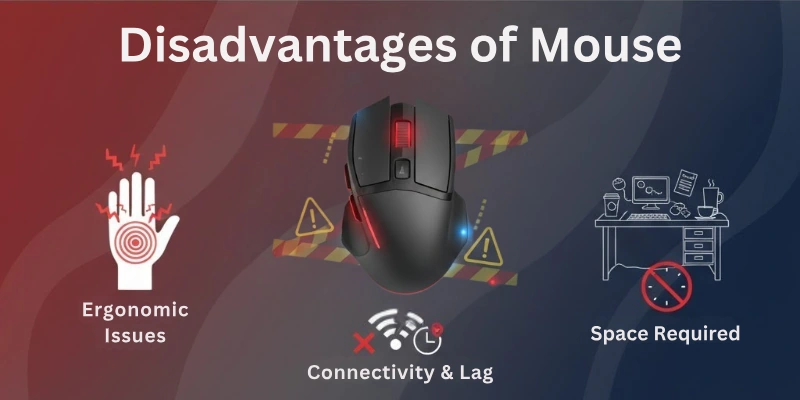
Below are some of the key disadvantages of using a computer mouse:
- Strain Injuries
- Flat Surface Dependency
- Limited Precision
- Dirt and Debris
- Extra Desk Space
- Software Compatibility
- Wireless Battery Needs
- Maintenance Costs
Let’s cover each limitation of mouse.
1. Strain Injuries
- Using the mouse a lot can make your hand or fingers hurt.
- It’s like doing the same exercise over and over without a break.
- Sometimes, taking breaks and stretching your fingers can help.
2. Flat Surface Dependency
- Although the mouse works best on a flat table or desk.
- If you want to use it somewhere else, like on your bed or a sofa, it might not work well.
- It needs a flat surface to move the pointer on the screen.
3. Limited Precision
- For some detailed tasks, the mouse might not be as exact as you want it to be.
- It’s good for regular things, but if you need to do something very specific, it can be a bit tricky.
- Artists or people who do very detailed work might find it a bit challenging.
4. Dirt and Debris
- Sometimes, small particles like dust or crumbs can get inside the mouse.
- When that happens, it might not work properly.
- Keeping your mouse and the surface it’s on clean can help avoid this problem.
5. Extra Desk Space
- The mouse needs space on your desk or table to move around.
- If your space is small, it might feel a bit crowded.
- Some people prefer using a mouse pad to create a smooth surface for the mouse.
6. Software Compatibility
- The mouse works well with most programs, but not all.
- Some special software might not be easy to use with a mouse.
- You might need to learn different ways to do things for certain programs.
7. Wireless Battery Needs
- If your mouse is wireless, it needs batteries to work.
- Forgetting to change or recharge the batteries means the mouse won’t work until you do.
- Wired mice don’t have this problem because they get power from the computer.
8. Maintenance Costs
- Sometimes, if the mouse stops working, you might need to buy a new one.
- Fixing a broken mouse can be hard and might cost almost as much as a new one.
- While a mouse is not very expensive, having to replace it can add up over time.
Conclusion
In this article, we have covered all the advantages and disadvantages of mouse in detail. By understanding both the benefits and drawbacks of this essential tool, users can make informed decisions about its usage.
And, if you have any queries regarding the computer mouse, you can ask them in the comment section, and I will be guiding you in detail.
FAQs
Here are some of the most commonly asked questions related to the pros and cons of computer mouse:
A computer mouse is a small, handheld device that controls the movement of a cursor on the computer screen. You move the mouse on a flat surface, and the cursor on the screen mimics your movements.
The mouse is crucial for navigating and interacting with a graphical user interface (GUI). Here are some of its key uses:
- Moving the cursor
- Selecting objects
- Clicking buttons
- Scrolling
- Right-clicking
- Dragging and dropping
- Gaming
There are several types of mice based on different factors, such as:
- Connection
- Sensor
- Buttons
- Design
Choosing the right mouse depends on your needs and preferences. Here are some factors to consider:
- Purpose
- Comfort
- Grip style
- Features
- Budget
The major benefits of mouse are:
- Accuracy and precision
- Efficiency
- Ergonomics
- Versatility
The major cons of mouse are:
- Desk space
- Potential for injury
- Maintenance






- Be Respectful
- Stay Relevant
- Stay Positive
- True Feedback
- Encourage Discussion
- Avoid Spamming
- No Fake News
- Don't Copy-Paste
- No Personal Attacks
- Be Respectful
- Stay Relevant
- Stay Positive
- True Feedback
- Encourage Discussion
- Avoid Spamming
- No Fake News
- Don't Copy-Paste
- No Personal Attacks
