Pros & Cons of Laptop: Advantages vs. Disadvantages
Published: 22 Aug 2025
Welcome to a quick guide on the advantages and disadvantages of laptops! Laptops are versatile companions for students, professionals, and everyday users but do have some bad sides too.
In this blog post, we’ll highlight the pros and cons in a nutshell.
So, guys, without wasting any time, let’s dive in!
Advantages of Laptop
There are a lot of laptop benefits, especially in terms of internet access and overall convenience.
With their compact size, laptops allow users to stay connected to the internet from virtually anywhere, whether it’s at home or while travelling. So, guys, here I have come up with 15 key pros of laptops:
- Portability
- Flexibility
- Mobility
- Wireless Connectivity
- Easy Access to the Internet
- Instant Communication
- Convenient for Remote Work
- Space-Saving Design
- Multitasking Capabilities
- Long Battery Life
- Quick Startup and Shutdown
- Compatibility with Various Software and Applications
- Built-in Webcam for Video Calls
Let us cover each merit of the laptop in detail.
1. Portability
One of the biggest strengths of laptops is their portability. You can easily carry them from home to office or even while travelling. I find this especially useful when I want to work in a coffee shop. Unlike desktops, they don’t tie you to one spot. This makes them a truly flexible tool for modern life.
- Lightweight and compact design
- Can be used anywhere, anytime
- Ideal for students, professionals, and travelers
2. Flexibility
Laptops offer a lot of flexibility in how you use them. You can switch between work, entertainment, and study without restrictions. I love that I can work on a report in the morning and enjoy a movie at night on the same device. They adapt to different needs quickly. This makes them a very practical choice.
- Suitable for work, learning, and leisure
- Can run multiple applications
- Easy to switch between tasks
3. Mobility
With laptops, you are no longer bound to a desk. You can move around your house or take them outdoors without a problem. I often carry mine to meetings instead of printed notes. Mobility makes collaboration easier as well. It’s simply about freedom to move with your work.
- Work on the go
- Take it to meetings, classes, or trips
- No fixed workplace needed
4. Wireless Connectivity
Most laptops come with built-in Wi-Fi and Bluetooth. This makes connecting to the internet or devices very easy. I personally find Wi-Fi in laptops a lifesaver when travelling. You don’t need wires or complicated setups. Just turn it on and you’re online.
- Easy Wi-Fi access
- Connects with Bluetooth devices
- Reduces cable clutter
5. Easy Access to the Internet
Laptops make browsing the internet smooth and simple. You can research, shop, or work online at any time. I use my laptop daily for quick Google searches and social media. Having instant access feels like having a world in your hands. It’s a huge convenience in today’s digital age.
- Quick and easy browsing
- Perfect for research and online work
- Access to news, shopping, and entertainment
6. Instant Communication
Thanks to laptops, staying in touch has never been easier. Whether it’s emails, chats, or video calls, communication is quick. I use mine to connect with friends across countries. It feels like the distance disappears. Laptops make communication truly global.
- Supports email and instant messaging
- Great for video and voice calls
- Keeps people connected worldwide
7. Convenient for Remote Work
Working remotely has become easier with laptops. You don’t need to be in an office anymore to get work done. I love the freedom of working from home with my laptop. Many companies even encourage it now. This flexibility is a big plus for today’s workforce.
- Enables work-from-home options
- Easy for freelancers and digital nomads
- Increases work-life balance
8. Space-Saving Design
Unlike bulky desktops, laptops save space. You don’t need a separate desk or wires everywhere. I simply fold mine and put it away after work. It’s neat, tidy, and convenient. Perfect for small apartments or offices.
- Compact and clutter-free
- No large desk required
- Easy to store after use
9. Multitasking Capabilities
Laptops are powerful enough to handle many tasks at once. You can browse, stream, and work simultaneously. I often keep multiple tabs open while writing and researching. This makes them highly productive tools. They save a lot of time and effort.
- Handle multiple apps together
- Smooth switching between tasks
- Boosts efficiency
10. Long Battery Life
Most modern laptops come with good battery backup. This allows you to use them for hours without charging. I love this feature when I’m travelling or during power cuts. It gives you the confidence to work without interruption. Battery life is a real advantage.
- Hours of usage on a single charge
- Useful during travel or power outages
- Reduces dependence on electricity
11. Quick Startup and Shutdown
Unlike desktops, laptops boot up quickly. You don’t have to wait long to get started. I find this time-saving, especially in urgent situations. The shutdown is also just as fast. It’s simple and efficient.
- Fast boot-up time
- Saves valuable time
- Smooth shutdown process
12. Compatibility with Various Software and Applications
Laptops support a wide range of apps and software. From office tools to creative programs, they run everything. I personally use mine for both writing and editing videos. It feels like having a full studio in one device. The versatility is impressive.
- Compatible with professional and personal tools
- Supports creative, educational, and business apps
- Versatile usage options
13. Built-in Webcam for Video Calls
Most laptops today come with a webcam installed. This makes video calling simple and easy. I use mine for Zoom meetings and catching up with family. You don’t need extra devices to connect visually. It’s built-in convenience at its best.
- Easy video conferencing
- No extra equipment needed
- Great for online classes and meetings
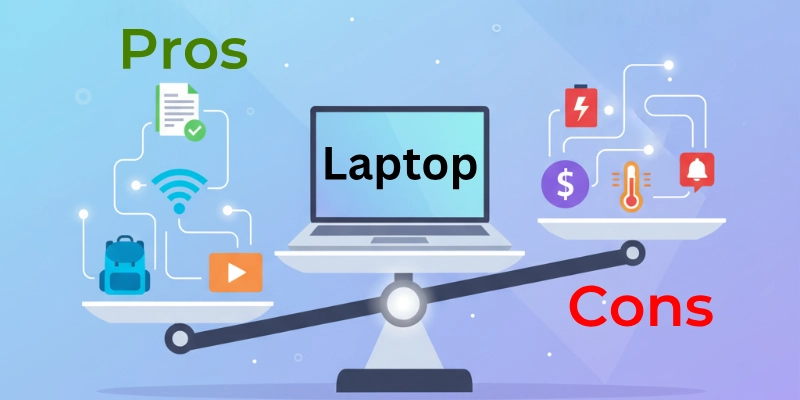
Disadvantages of Laptop
Same like any other technology, laptops also come with their own set of disadvantages. While laptops provide mobility and flexibility, they also present certain limitations and drawbacks that users should be aware of.
So, understanding these disadvantages can help you guys make informed decisions about whether a laptop is the right choice for your needs or not.
Here is a list of all the disadvantages of laptops:
- Limited Upgrade Options
- Smaller Screen
- Less Durable than Desktops
- Prone to Theft
- Limited Gaming Capability
- Restricted Storage
- Higher Cost for Power
- Limited Repairability
- Weaker Cooling System
- Fewer Ports for Peripherals
Let’s cover each limitation.
1. Limited Upgrade Options
One of the biggest drawbacks of laptops is that they’re hard to upgrade. Unlike desktops, where you can easily swap out parts, laptops are more restricted. I’ve often wished I could just add more storage or change the graphics card, but it’s not that simple. This means you’re stuck with what you buy. It’s something to consider before investing in one.
- RAM and storage upgrades are limited
- Most parts are soldered or non-replaceable
- Less customization compared to desktops
2. Smaller Screen
Laptops usually come with smaller screens than desktop monitors. While this makes them portable, it can feel cramped for tasks like design or multitasking. Personally, I often connect mine to a bigger monitor when I’m working at home. If you value large displays, a laptop alone might not satisfy you.
- Limited screen size for visuals
- Not ideal for heavy design or gaming
- May strain eyes during long use
3. Less Durable than Desktops
Because laptops are portable, they’re more prone to physical damage. A single drop or spill can harm them badly. I’ve seen friends lose their entire laptop data just because of an accident. Unlike desktops, they’re not built for rough handling. Durability is definitely weaker.
- More fragile due to thin design
- Sensitive to drops, spills, and pressure
- Shorter lifespan with heavy daily use
4. Prone to Theft
Since laptops are small and portable, they can be easily stolen. Carrying them around in public places always comes with a risk. I personally avoid leaving my laptop unattended even for a few minutes. Security is a major concern with laptops.
- Easy to steal compared to desktops
- Data loss risk if stolen
- Requires extra security measures (like tracking software)
5. Limited Gaming Capability
While some laptops are designed for gaming, most aren’t. Regular laptops don’t handle heavy games well due to weaker GPUs. I’ve tried running demanding games on my standard laptop, and it overheated quickly. For serious gamers, a desktop or gaming laptop is a better choice.
- Standard laptops can’t handle high-end games
- Lower graphics performance
- Risk of overheating with heavy use
6. Restricted Storage
Laptops generally offer less storage than desktops. Even though SSDs make them faster, space can run out quickly if you store a lot of files. I often need to rely on external drives to manage my data. This can be inconvenient for users with large storage needs.
- Limited internal storage capacity
- External drives often required
- Not ideal for heavy media storage
7. Higher Cost for Power
If you compare specs, laptops are usually more expensive than desktops. You often pay more just for the portability. I’ve noticed that a desktop with the same performance costs much less. This makes laptops less budget-friendly for powerful setups.
- Higher price for similar performance
- Portability increases cost
- Not cost-effective for power users
8. Limited Repairability
Fixing laptops can be difficult and costly. Many components are tightly packed, making repairs tricky. Once, I had a small keyboard issue, and the repair almost cost half the laptop’s value. Unlike desktops, DIY repairs are rarely possible.
- Repairs are complex and expensive
- Few parts are replaceable
- Shorter repair life compared to desktops
9. Weaker Cooling System
Due to their slim design, laptops don’t have strong cooling systems. This often leads to overheating during heavy tasks. I’ve felt my laptop getting uncomfortably hot after long working sessions. This affects both performance and comfort.
- Poor airflow compared to desktops
- Heats up quickly under load
- May cause performance drops
10. Fewer Ports for Peripherals
Most laptops have limited USB and other ports. This can be frustrating if you use multiple devices. I often have to use a USB hub just to connect everything. It’s not as convenient as desktops that offer plenty of ports.
- Limited number of USB, HDMI, or Ethernet ports
- May require additional hubs/adapters
- Restricts connectivity options
Conclusion
In summary, this blog post has provided a comprehensive overview of the advantages and disadvantages of laptops. You guys have learned about the convenience and flexibility of laptops, as well as their potential drawbacks such as ergonomic concerns and environmental impact.
And by understanding both sides, you guys can make informed decisions about incorporating laptops into your lives responsibly and effectively.
FAQs
Here are some of the most commonly asked questions related to the pros and cons of laptops:
Computers make work faster and easier. They store large amounts of data and give quick access when needed. People use them for communication, research, and entertainment. They also handle complex tasks like design, analysis, and programming.
A laptop gives you the power of a computer in a portable form. You can use it for study, work, or fun while travelling or at home. It helps in communication through emails and video calls. Its main purpose is to let you work from anywhere.
Laptops and computers support multitasking, so you can run many apps at once. They provide access to useful software for work, study, and creativity. With internet connectivity, you can browse, shop, and connect with people worldwide. They also allow customization based on your needs.
A laptop is useful for education, office work, and personal tasks. People use it to watch movies, play games, and create content. It also supports online shopping, web browsing, and digital communication. In short, it is a tool for both work and entertainment.
Laptops usually cost more than desktops with the same features. They are harder to upgrade or repair because of their small size. The battery drains quickly if used for long hours. Overheating is also a problem during heavy use.
Laptops are better for users who need mobility and flexibility. You can carry them to school, work, or travel. Desktops, on the other hand, give more power, bigger screens, and easier upgrades. The better option depends on whether you want performance or portability.






- Be Respectful
- Stay Relevant
- Stay Positive
- True Feedback
- Encourage Discussion
- Avoid Spamming
- No Fake News
- Don't Copy-Paste
- No Personal Attacks
- Be Respectful
- Stay Relevant
- Stay Positive
- True Feedback
- Encourage Discussion
- Avoid Spamming
- No Fake News
- Don't Copy-Paste
- No Personal Attacks
