What Is Data Entry? Learn the Essentials
Published: 11 Nov 2025
Picture this: stacks of papers everywhere, and someone typing away furiously on a keyboard. That’s the image most people get when they think of data entry. But in reality, it’s much more than just typing. So, what is data entry, and why does it matter in today’s world?
Let’s dive into the details.
What is Data Entry?
Data entry is the process of entering information into a computer or database. It can include typing in text, numbers, or other details from paper documents or digital files.
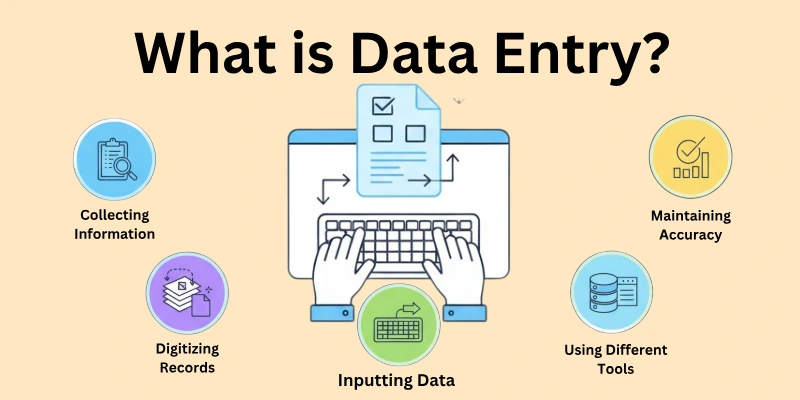
People doing data entry often use special software to keep records organized. This process helps businesses store and manage their information accurately. Data entry is important in many fields, such as healthcare, retail, and finance.
Methods of Data Entry
Data entry can be done in two primary ways, depending on how the information is input into systems:
- Manual Data Entry
- Automated Data Entry
Let’s learn how data entry is done.
1. Manual Data Entry
This is the traditional way of entering data, where a human manually types or inputs the information into a computer or database.
It requires someone to collect data from sources like paper documents, images, or other materials and then enter it using a keyboard.
While it gives more control, it can be time-consuming and is prone to human errors, such as typos or missed entries.
2. Automated Data Entry
Automated data entry uses software, tools, or technologies to input data without much human involvement.
It includes methods like Optical Character Recognition (OCR) for reading text from images or scanned documents, or web scraping tools that extract information from websites.
This method is faster, more efficient, and reduces the chances of errors, making it ideal for handling large volumes of data.
Types of Data Entry
Now that we’ve covered the methods, let’s talk about the types of data entry tasks, which are based on the nature of the work involved:
1. Basic Typing
Basic typing involves entering text or numbers from documents into a system. This is the most common type of data entry, where workers simply type out information from forms, reports, or other written materials into a computer.
2. Data Processing
Data processing involves taking raw data and transforming it into a more usable format. This type of data entry includes organizing, sorting, and formatting the data before entering it into a system, often to be used for analysis or decision-making.
3. Image Data Entry
In this type, workers enter information from scanned images or documents into a database. It involves carefully reading the text or numbers from images and inputting them accurately into the system.
4. Online Data Entry
Online data entry requires workers to input data directly into web-based systems. This type is common in e-commerce, customer service, and other industries that rely on online databases and platforms to store information.
5. Transcription
Transcription involves listening to audio recordings and converting them into written text. It is a specialized type of data entry, often used in medical, legal, and business settings to record meetings, interviews, or medical reports.
6. Data Cleansing
Data cleansing focuses on correcting and updating data that is inaccurate, outdated, or incomplete. The goal is to ensure that all information in the system is accurate and reliable, which is essential for businesses that rely on high-quality data.
Tools Used in Data Entry
Data entry tools range from spreadsheets to automated data entry programs.
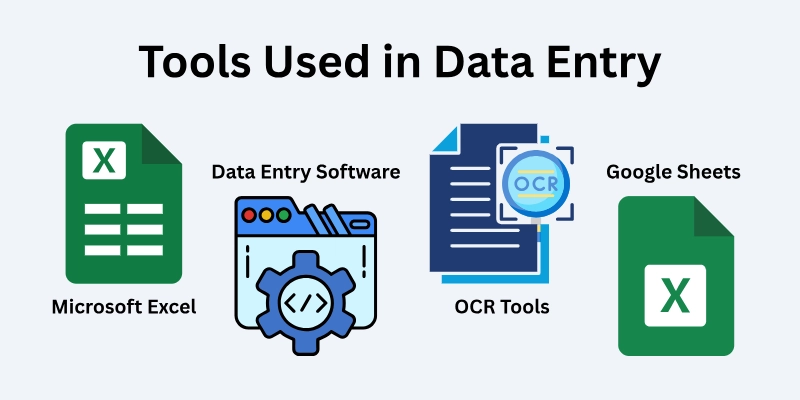
Here’s a detailed list of the common tools used in data entry:
1. Microsoft Excel
Microsoft Excel is widely used for data entry. It helps in organizing data into rows and columns, performing calculations, and creating charts.
It’s perfect for handling small to medium-sized datasets where workers can enter numbers, names, or other details manually.
2. Google Sheets
Google Sheets is an online spreadsheet tool similar to Excel but with the added benefit of cloud storage.
It allows multiple users to work on the same data sheet in real-time, making it excellent for collaborative data entry tasks.
3. Data Entry Software
There are dedicated data entry software programs that help automate tasks. These tools streamline the process of entering data into large databases.
Examples include Zoho Forms, QuickBooks, or Tally for accounting data entry.
4. Optical Character Recognition (OCR) Tools
OCR tools are used to convert scanned images or printed text into digital format.
They allow users to scan documents and automatically enter the information into a computer system, saving time and effort. Common OCR tools include Adobe Acrobat OCR and ABBYY FineReader.
5. Web Scraping Tools
Scraping tools are used to automatically collect data from websites. These tools are great for gathering large amounts of information quickly, like product prices, contact details, or research data.
Popular scraping tools include:
- Phantombuster
- BeautifulSoup
- Scrapy
- Octoparse
6. Automation Tools
Automation tools like UiPath or Blue Prism help automate repetitive data entry tasks.
They are part of Robotic Process Automation (RPA) and can mimic human actions, such as filling out forms or entering data into databases, with speed and precision.
Skills Required for Data Entry
Data entry may seem simple, but there are some important skills you need to be good at it. Here are the skills required for data entry:
1. Typing Skills – You need to type fast and accurately. This helps you enter data quickly without making mistakes.
2. Attention to Detail – You must pay close attention to the information you are entering. Even a small mistake can cause big problems, so being careful is very important.
3. Basic Computer Skills – You should know how to use a computer. This includes understanding how to open files, use software, and type using a keyboard.
4. Time Management – You need to work quickly and finish your tasks on time. Being able to manage your time well helps you stay on track and meet deadlines.
5. Organization Skills – You should be able to keep things neat and organized. This helps you find the information you need and makes your work easier.
6. Reading and Writing Skills – You must be able to read instructions and information properly. Good writing skills help you type the information correctly.
How to Earn Online from Data Entry Services
You can easily start earning money by offering data entry services on freelance platforms like Fiverr, Upwork, or Freelancer.
Here’s how you can do it:
Popular Freelance Platforms
- Fiverr: Create gigs for specific data entry tasks.
- Upwork: Bid on client projects for short or long-term jobs.
- Freelancer: Similar to Upwork, but you can also enter contests to win jobs.
How to Create a Strong Profile
- Highlight Skills: Show typing speed, accuracy, and tool knowledge (like Excel).
- Add Experience: Share past work, even if it’s just practice.
- Use Keywords: Include terms like “data entry” or “transcription” to get noticed.
- Professional Language: Write clearly and avoid mistakes.
Setting Competitive Prices
- Start Low: Charge lower at first to get clients, then raise prices as you gain reviews.
- Check Competitors: See what others charge to keep your rates competitive.
- Offer Packages: Provide basic services at one price, with extras for higher rates.
How to Get Your First Clients
- Start Small: Apply for quick, easy jobs to build reviews.
- Send Many Proposals: Apply to several jobs with personalized proposals.
- Offer Discounts: Give a small discount to attract first clients.
Building Positive Reviews
- Do Great Work: Always deliver high-quality work.
- Be on Time: Meet deadlines or finish early.
- Ask for Reviews: Politely request clients to leave feedback.
- Fix Problems Quickly: If there’s an issue, fix it fast to keep the client happy.
Pros and Cons of a Career in Data Entry
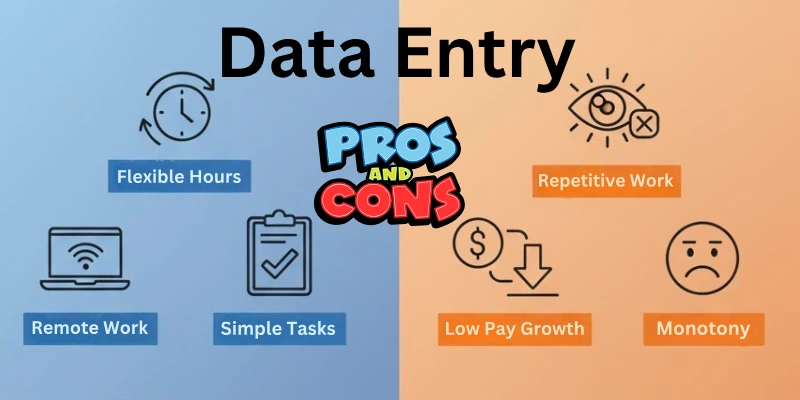
Here are some of the major advantages and disadvantages of data entry:
Advantages
- Flexibility: You can often choose your hours, making it easy to fit around other commitments.
- Remote Work: Many data entry jobs let you work from home, giving you location freedom.
- Minimal Entry Barriers: You don’t need special qualifications, making it easy to start.
Disadvantages
- Repetitive Tasks: Data entry can be boring since it involves doing the same thing over and over.
- Limited Growth: Some roles offer little chance for career advancement or skill development.
Conclusion
So guys, it’s time to wrap up. In this article, we’ve covered what data entry is in detail. If you’re looking for a flexible job that allows you to work from anywhere, I recommend giving data entry a try. Start small, build your skills, and watch your opportunities grow.
Don’t wait—explore data entry jobs today and begin your journey!
FAQs
Here are some of the most commonly asked questions related to the data entry services:
Data entry means typing or putting information into a computer or database. You type things like numbers, names, or other details from documents. It helps keep everything organized and easy to find.
You don’t need special skills to start data entry. Basic typing, paying attention to details, and using tools like Excel or Google Sheets are enough. As you work more, you can learn better tools.
Yes, you can do data entry from home. Many companies offer remote data entry jobs, and freelance platforms also have these jobs. You just need a computer and internet to get started.
Your earnings depend on your skills, experience, and the platform you use. Beginners may earn less, but you can increase your rates as you gain experience. Some jobs pay by the hour, while others pay for the whole project.
Data entry can be both full-time or part-time. You can take small tasks for extra money, or work full-time if you want. It’s flexible, so you choose how much you work.
You need a computer, a keyboard, and software like Microsoft Excel or Google Sheets. Some jobs might need special software for entering data. You can also use tools like OCR to make the work faster.
Data entry is not hard, but it can get repetitive. You need to focus and be careful to avoid mistakes. The tasks are simple, but doing them for a long time can feel tiring.
You can find data entry jobs on freelance websites like Fiverr, Upwork, and Freelancer. You can also look for jobs on job boards or company websites. Make sure to make a good profile and apply to many jobs.
Common tasks include typing data from forms, organizing spreadsheets, and typing out audio files. Other tasks involve entering customer data or using OCR software. Each type has its own small differences.
You can start with data entry and build more skills. You can learn data analysis, automation, or transcription to get better jobs. Learning new tools will help you grow and earn more.





- Be Respectful
- Stay Relevant
- Stay Positive
- True Feedback
- Encourage Discussion
- Avoid Spamming
- No Fake News
- Don't Copy-Paste
- No Personal Attacks
- Be Respectful
- Stay Relevant
- Stay Positive
- True Feedback
- Encourage Discussion
- Avoid Spamming
- No Fake News
- Don't Copy-Paste
- No Personal Attacks
